Mac users are used to applications that feel organized, responsive and easy to navigate.
Unfortunately, IPTV software does not always meet those expectations.
Many IPTV players still revolve around the same basic workflow: import a playlist, wait for thousands of channels to appear and navigate through long lists until you find something worth watching.

That approach works.
But it does not feel modern.
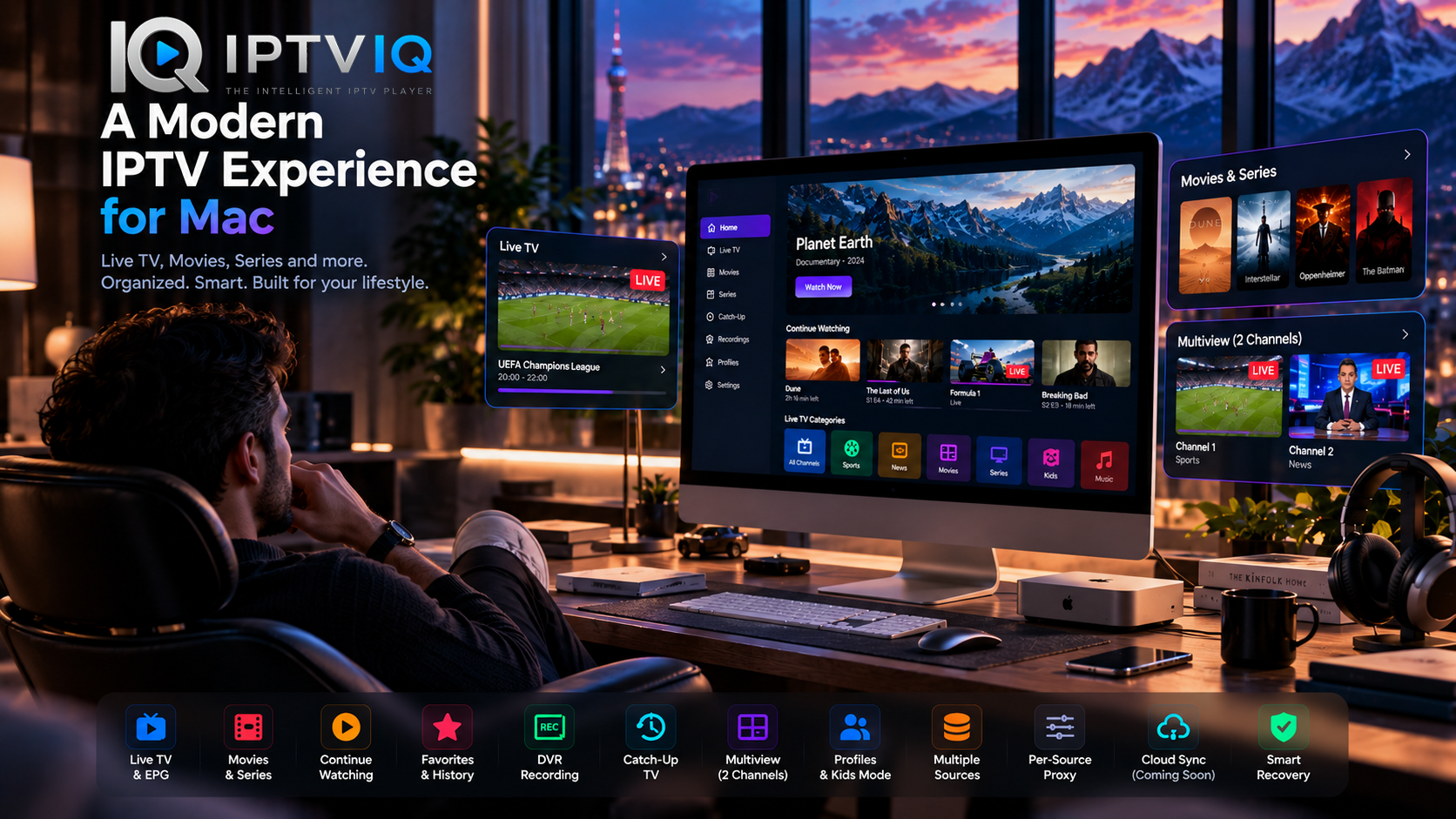
IPTVIQ is designed around a different idea: an IPTV player should behave more like a complete entertainment application and less like a playlist utility.
Built for macOS, IPTVIQ brings Live TV, movies, series, EPG, Favorites, profiles, DVR, Catch-Up, Multiview and multiple IPTV sources into one environment.
The result is an application designed not only to play IPTV, but to make IPTV easier to live with every day.
First Things First: What Is IPTVIQ?
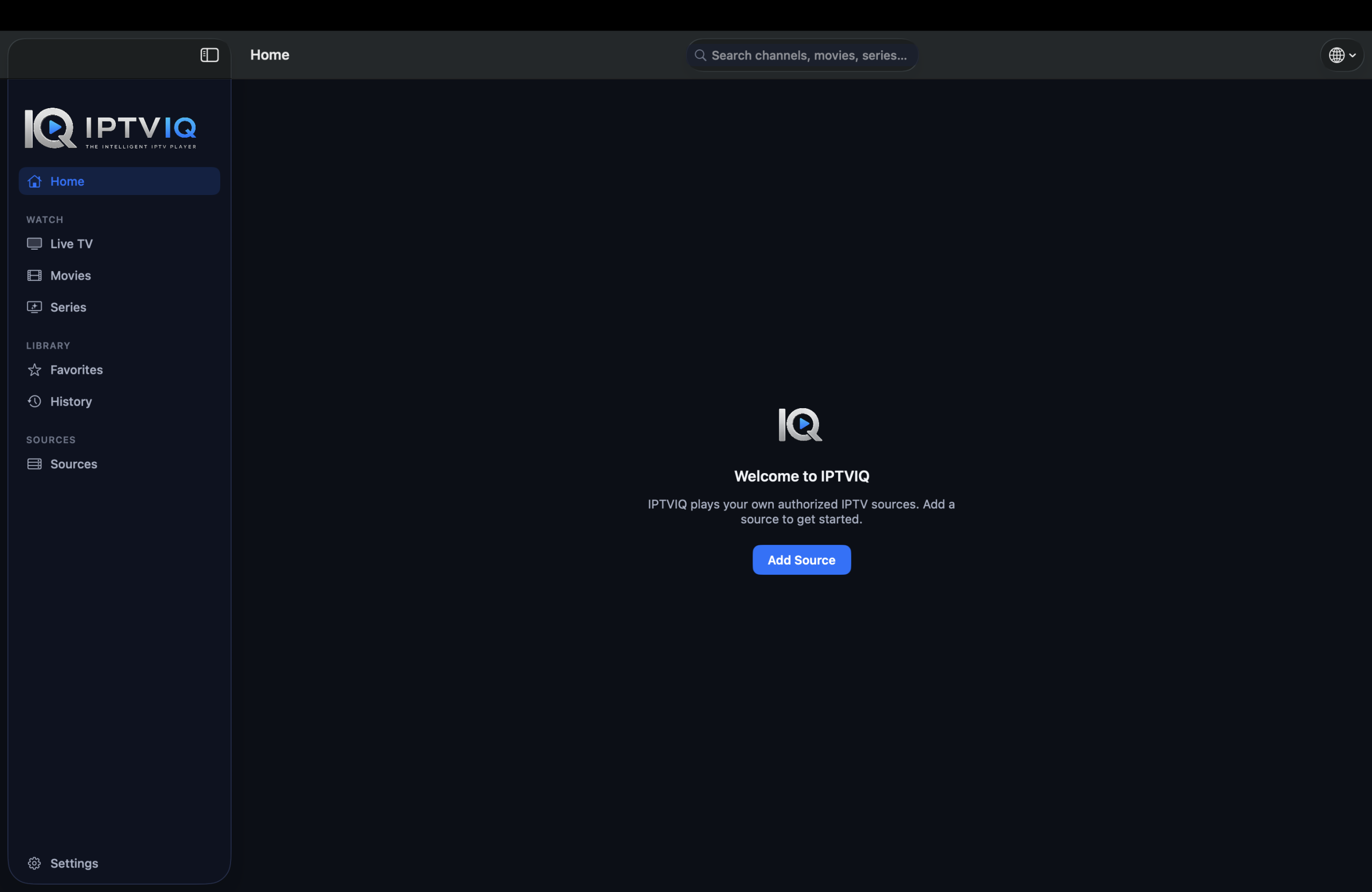
IPTVIQ is an IPTV player for Mac.
It does not provide an IPTV subscription and does not include its own catalog of television channels, movies or series.
Instead, users connect compatible IPTV sources they already have access to.
IPTVIQ then becomes the interface between those sources and the viewer.
That distinction is important.
The application is responsible for playback, navigation, organization and personalization.
The IPTV provider remains responsible for the actual content and streams.
The Problem with Traditional IPTV Players
IPTV itself is extremely flexible.
The user may have access to Live TV, movies, series, Catch-Up programming and program guide information through a single source.
The problem begins when all of that information is presented as one giant database.
A playlist containing thousands of items is technically impressive but practically difficult to use.
Users do not want to manage databases while sitting down to watch television.
They want to know:
What’s live right now?
What movie was I watching yesterday?
Where are my favorite channels?
What episode comes next?
Can my child use a separate profile?
A modern IPTV player needs to answer those questions quickly.
That is the experience IPTVIQ is attempting to build.
One Place for Different IPTV Sources
Another challenge is that IPTV sources are not standardized around a single connection method.
Different environments may use different technologies.
IPTVIQ supports commonly used formats and systems including:
- Xtream Codes
- M3U
- M3U8
- XMLTV
- Stalker
- MAG
- Ministra
Multiple compatible sources can be configured inside the same application.
Instead of maintaining several players for different services, users can manage their sources through one interface.
For anyone with a more complicated IPTV setup, this alone can simplify daily use considerably.
Live TV Should Be Easy to Browse
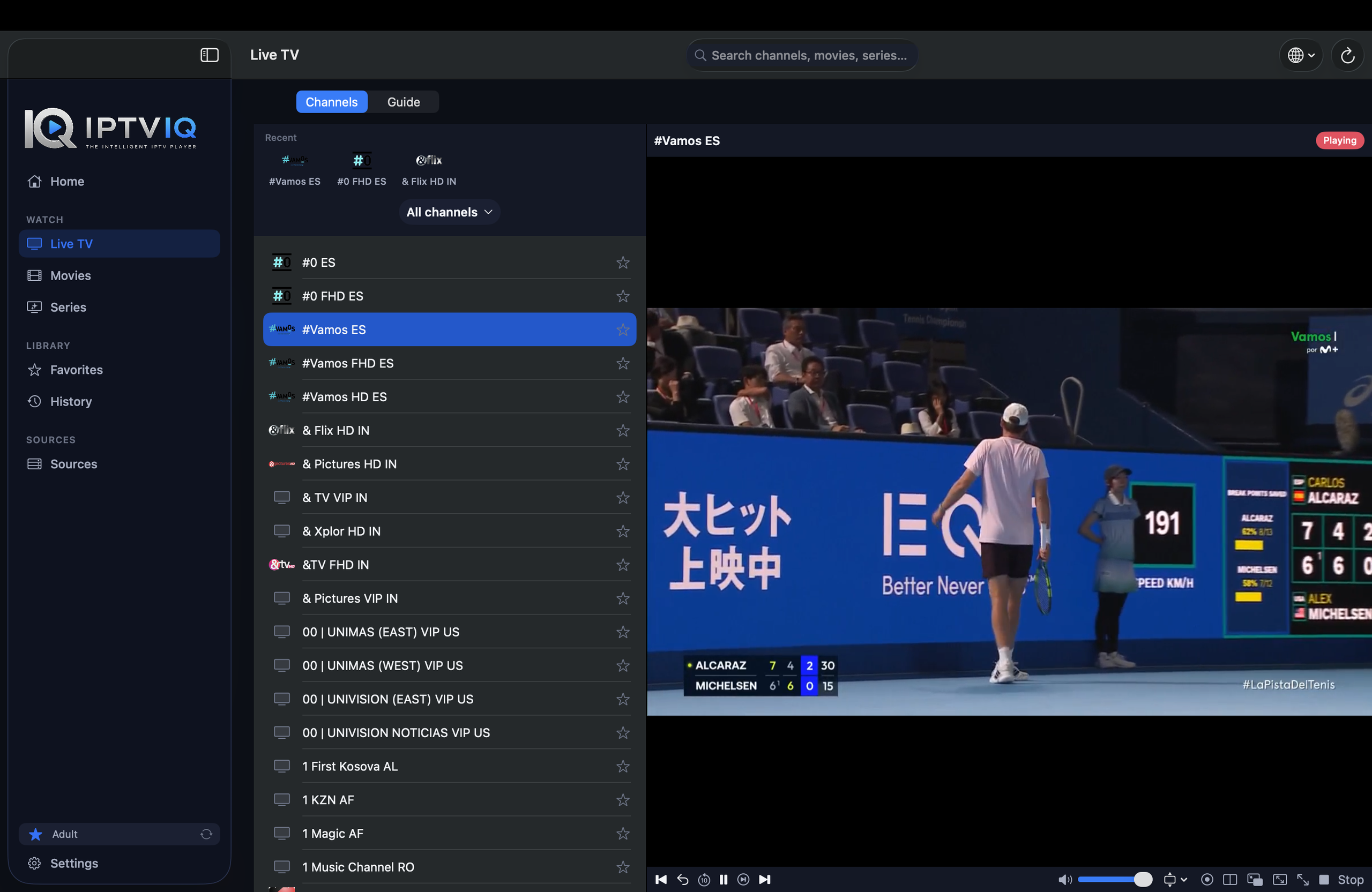
Live television is about speed.
When viewers want to change channels, they usually do not want to navigate through multiple menus first.
IPTVIQ organizes available Live TV channels into categories and provides navigation tools designed around television viewing.
The goal is to make moving through a large IPTV catalog feel more natural.
Users can spend less time navigating the structure of their IPTV provider and more time watching the content they actually want.
Know What’s Playing with EPG
Channel names alone provide very little information.
An Electronic Program Guide adds the missing context.
When compatible EPG data is available, IPTVIQ can display information about current and upcoming programs.
This is particularly useful when browsing unfamiliar channels.
Instead of opening several streams just to discover what is currently airing, users can check program information first.
Mini-EPG functionality can keep that information accessible while viewers remain focused on Live TV.
Naturally, the quality of the guide depends on the EPG information available from the connected IPTV source.
IPTV Isn’t Just Live Television Anymore
Modern IPTV sources often contain extensive on-demand libraries.
Movies and complete television series may exist alongside traditional channels.
IPTVIQ gives these content types their own environments rather than forcing everything into the same Live TV navigation model.
Movies can be browsed as movies.
Series can be explored as episodic content.
Live channels remain optimized for live viewing.
That separation creates a cleaner experience and makes large libraries considerably easier to understand.
Continue Watching Without Remembering Timestamps
Imagine watching a two-hour movie.
You stop after 42 minutes.
Three days later, you return.
With a basic IPTV player, you may need to open the movie and manually search for approximately the same position.
IPTVIQ’s Continue Watching concept removes that unnecessary step.
Playback progress can allow supported content to resume from where the viewer previously stopped.
It is a small convenience until you regularly watch multiple movies and series.
Then it becomes one of the features you notice whenever it is missing.
Favorites: Because Nobody Watches 5,000 Channels
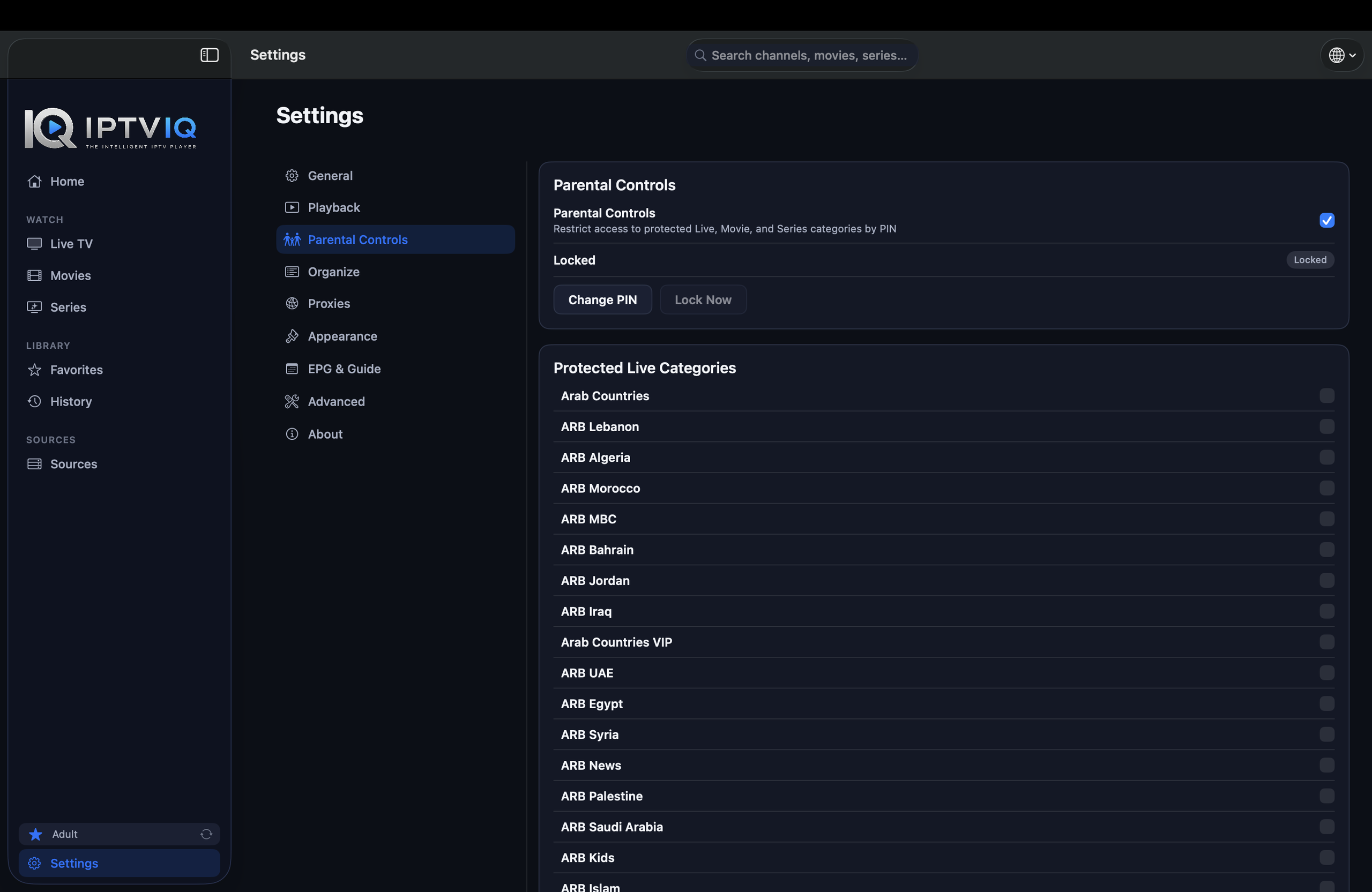
IPTV providers often advertise enormous channel counts.
But a large number of channels does not necessarily create a better viewing experience.
Most users eventually return to a relatively small group of favorites.
IPTVIQ allows those channels to be separated from the complete catalog.
A viewer might create a personal collection around sports, another around news and another around entertainment.
Favorites reduce the importance of the provider’s channel count and increase the importance of the viewer’s actual preferences.
Profiles Make IPTV Personal
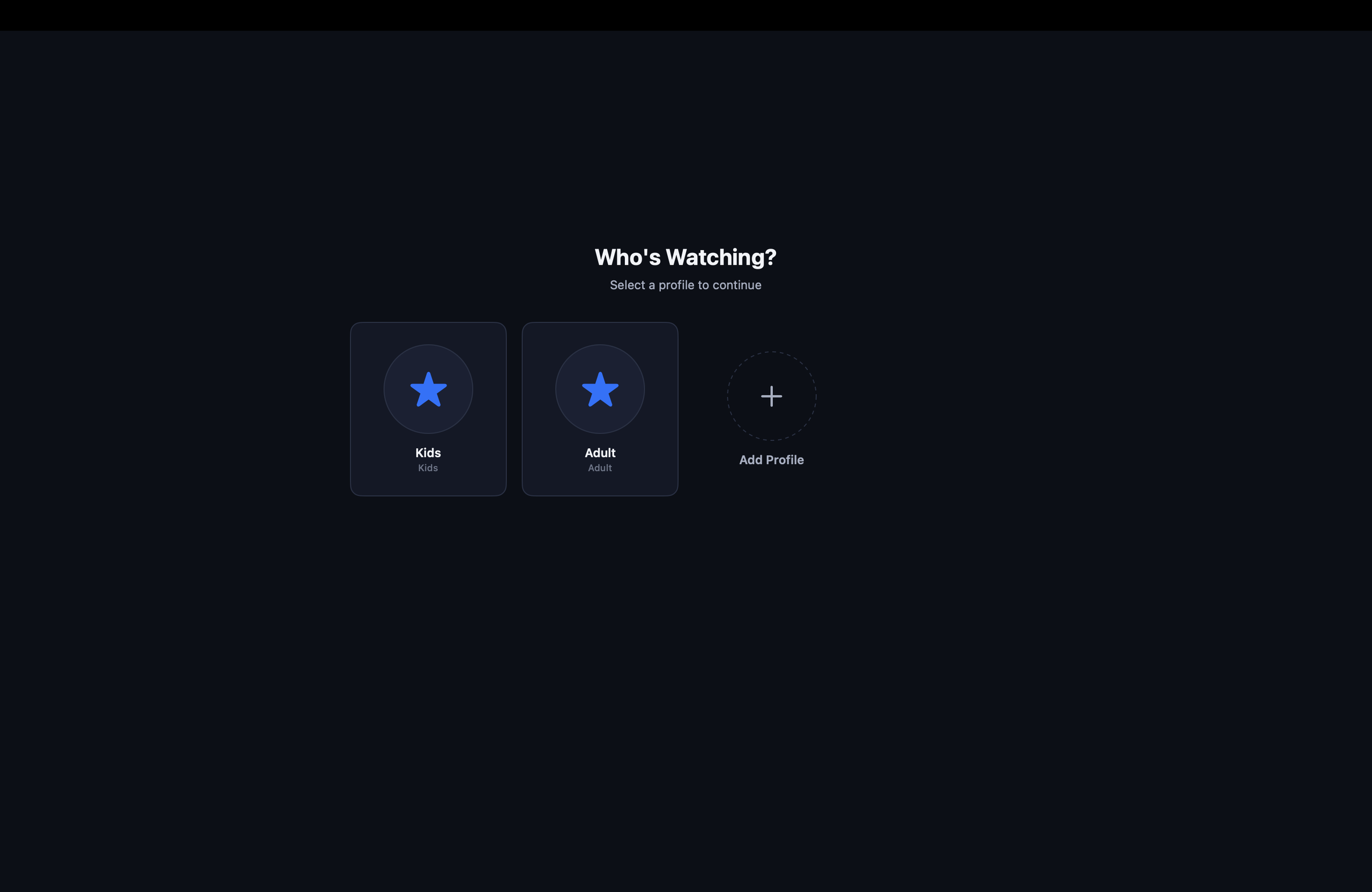
A shared entertainment system creates another problem.
Not everyone watches the same content.
IPTVIQ supports separate profiles so different viewers can maintain their own experience.
Favorites can reflect individual preferences.
Viewing history can remain more relevant.
And different household members do not necessarily need to share the same environment.
This is an important step toward making IPTV feel more like the mainstream streaming platforms people already understand.
A Safer Environment for Kids
Children introduce additional requirements.
Giving a child unrestricted access to a large IPTV catalog is not always appropriate.
Kids Profiles allow the viewing experience to be restricted around approved and blocked content.
Rather than relying on the child to avoid inappropriate areas of the application, access rules can become part of the profile itself.
This approach is especially valuable in households where adults and children share the same IPTV sources.
DVR: Live TV on Your Schedule
Live television traditionally requires viewers to adapt to the broadcaster’s schedule.
DVR reverses that relationship.
IPTVIQ supports recording of compatible Live TV streams so users can save broadcasts locally and watch them later.
Keeping DVR recordings on the device is also practical.
Video recordings are large.
There is no reason a future synchronization service needs to upload entire recordings simply to maintain the same Favorites or profiles across devices.
Local recording and cloud metadata synchronization can remain completely separate concepts.
Catch-Up Gives You Another Chance
Some IPTV providers already maintain archives of recently broadcast content.
When Catch-Up is supported by the connected source, IPTVIQ can provide access to that programming.
This can be useful when a viewer missed something but did not record it beforehand.
However, Catch-Up availability is not created by the player.
The provider must make the archived content available.
IPTVIQ simply provides the interface for accessing supported Catch-Up programming.
Multiview Changes Live Events
Some broadcasts demand more than one screen.
Consider a weekend with two important matches happening simultaneously.
Normally, the viewer must choose one or repeatedly switch between channels.
Multiview provides another option.
IPTVIQ can display two compatible live streams simultaneously, allowing both events to remain visible.
Sports are an obvious use case, but Multiview can also be useful for news, live events and other real-time programming.
What Happens When the Stream Freezes?
IPTV playback depends on infrastructure outside the application.
Internet connections fluctuate.
Provider servers occasionally struggle.
Streams can stall.
IPTVIQ includes Smart Recovery functionality designed to respond to certain temporary playback interruptions and attempt to restore the stream.
It cannot solve every network problem.
If the provider is completely unavailable, no player can manufacture a working stream.
But automatic recovery can reduce the number of times users need to manually reload a temporarily interrupted channel.
Different Sources, Different Network Settings
Users with multiple IPTV sources may also have different networking requirements for each one.
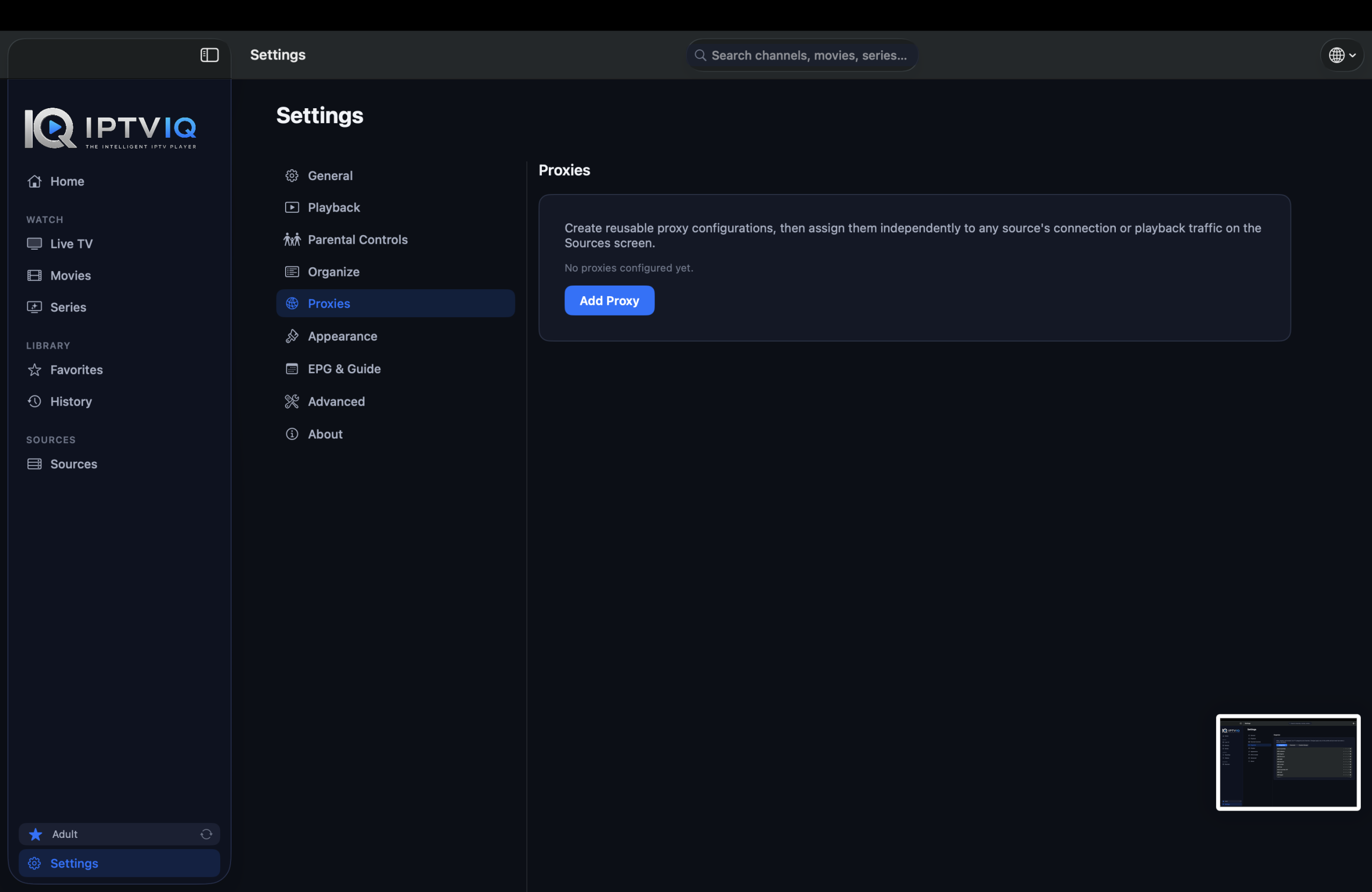
IPTVIQ supports per-source proxy configuration.
Available options include:
- Direct
- HTTP
- HTTPS
- SOCKS5
That means one source can connect directly while another uses its own proxy configuration.
This is a much more flexible approach than forcing every IPTV connection through one global network rule.
The Importance of a Local-First IPTV Player
Not every piece of application data belongs on a remote server.
An IPTV player can contain source configurations, credentials, profiles, viewing history, Favorites and local recordings.
IPTVIQ’s local-first approach keeps important parts of the experience close to the user and their device.
Sensitive information can benefit from macOS security mechanisms, while large DVR recordings can remain in local storage.
The IPTV stream itself can also continue flowing directly between the provider and the user’s device.
That becomes especially important when discussing the future of synchronization.
Imagine Moving from Your Mac to Your TV
Suppose you spend time configuring your IPTV environment on your Mac.
You add your sources.
You organize Favorites.
You create a Kids Profile.
You approve selected content.
You begin watching a movie.
After 42 minutes, you stop.
Now imagine moving to another supported device.
Should you really need to rebuild everything?
Probably not.
This is the problem Cloud Sync could eventually solve.
Cloud Sync Should Synchronize the Experience
A synchronization layer does not need to carry IPTV video.
It only needs to remember the user.
For example:
Mac
Movie X → Resume position: 00:42:00
↓
Sync
↓
Another Supported Device
Movie X → Continue Watching at 00:42:00
The same concept can apply to a Favorite channel.
Mark it once.
Allow that preference to appear on the user’s synchronized devices.
Potential synchronization data could include:
- Favorites
- Viewing history
- Resume positions
- Profiles
- Kids Profile approvals
- Content blocklists
- Selected preferences
- Certain EPG mappings
These are relatively small pieces of data that can dramatically improve continuity between devices.
But the IPTV Stream Should Stay Direct
Cloud Sync and Cloud Streaming are not the same architecture.
The IPTV video does not need to follow this path:
IPTV Provider → IPTVIQ Cloud → Viewer
Instead, playback can remain direct:
IPTV Provider → User’s Device
Only synchronization metadata needs another route:
Device A ↔ Sync Service ↔ Device B
The distinction is fundamental.
IPTVIQ can eventually synchronize the viewing experience without becoming an intermediary for every television stream.
DVR Can Stay Local
DVR also illustrates why selective synchronization makes sense.
A resume position may require only a tiny database record.
A Favorite is even smaller.
A two-hour recording may consume gigabytes.
Treating these types of data identically would be inefficient.
A more practical model is:
Favorites, profiles and playback state → synchronized
DVR video files → local
This keeps synchronization lightweight while preserving the benefits of cross-device continuity.
Is IPTVIQ an IPTV Service?
No.
IPTVIQ should not be confused with an IPTV provider.
The application does not sell channel packages or provide its own movie and television catalog.
Users connect compatible IPTV sources they are authorized to access.
IPTVIQ then provides the software used to organize, navigate and play those sources.
Stream reliability, channel availability, VOD libraries, Catch-Up support and EPG quality therefore depend heavily on the connected provider.
Who Will Get the Most from IPTVIQ?
Someone who occasionally opens a small M3U playlist may not need every advanced capability.
IPTVIQ becomes more interesting as the IPTV environment becomes more complex.
Users managing several sources can benefit from unified source management.
People watching Live TV can take advantage of EPG, DVR, Catch-Up and Multiview.
Households can use separate profiles and Kids controls.
Movie and series viewers gain Continue Watching and history.
Advanced users can configure different network behavior for individual sources.
In other words, IPTVIQ is designed for people who want their IPTV setup to behave like an entertainment system rather than a playlist viewer.
Final Thoughts
The best IPTV player is not necessarily the one capable of loading the largest playlist.
It is the one that makes a large playlist feel small.
That means helping viewers reach the channels they actually watch.
Remembering where a movie stopped.
Separating one person’s preferences from another’s.
Providing useful program information.
Recording Live TV when needed.
Recovering from temporary stream interruptions.
And eventually, allowing the user’s viewing environment to move between devices without unnecessarily routing the video itself through the cloud.
That is the direction IPTVIQ is taking.
For Mac users who already have compatible IPTV sources and want a cleaner, more personalized and more capable way to manage them, IPTVIQ offers an increasingly interesting alternative to the traditional IPTV playlist player.